
TM SIM Registration Online
Complete your TM SIM registration online under the SIM Registration Act and protect yourself from scams.

Requirements For TM SIM Registration
The requirements depend upon the type of SIM registration. There are separate requirements for Filipino citizens, foreigners, tourists, and corporations. Below is the complete requirement list for each:
1: Requirements for Filipino Nationals
2: For Foreign Nationals & Tourists
3: For Corporations / Businesses
Acceptable IDs
Here is the list of IDs that you must provide to complete the SIM registration. You must provide one of these IDs for successful registration:
Note: Always provide the official government ID. Make sure that the ID is clear and up to date. Your registration will be rejected in case of providing expired or unofficial ID.
How To Register TM SIM
You can register your TM SIM through three available methods. All these methods are completely
free and secure. You can choose any of these methods according to your comfort.
SIM Registration TM Via Portal
TM Registration SIM via the portal is the most convenient and widely used method. You just need to visit the portal, fill out the registration form, verify your identity, and that’s it. Below is the complete tutorial about it, along with the screenshots:


Here are some practical tips for hassle-free registration:
SIM Registration TM Via App
TM SIM registration using the app is almost similar to the portal. However, I have provided a detailed tutorial below for your comfort.
- First of all, download the GlobeOne app on your mobile phone.
- Once downloaded, open the app and create your account.
- After successful account creation, you will get a “Register you SIM” button. This button contains the TM SIM registration link. Click on the button to start the registration.

- Enter your TM SIM number in the box. Double-check, ensure the number is accurate, and click “next” to get OTP.

- The system will send an OTP to your mobile number. Enter the OTP in the required field to complete the number verification.

- Once the number is verified successfully, you will get a SIM registration form. Complete the form carefully and provide all the required details according to official documents.

- Double-check the form and ensure that all the details are accurate. Once done, submit the form.
- Choose an acceptable ID from the drop-down menu. Upload the ID and fill in the ID number in the required field.

- Now upload a selfie to complete the face verification process. Make sure that the selfie is clear and contains your full face.
- Click next to submit the ID and selfie.

- You will get a summary of the information you filled out. Double-check and ensure that the information is according to your official documents.
- Click “submit” to submit the SIM TM form. You will get a reference number on successful completion submission and verification.

Here are some important things you must keep in mind while registering via app:
TM SIM Card Registration In Stores
If you are not comfortable to register a SIM card TM online, you can complete the registration in stores. This process is easy, straightforward and contains in person assistance.
Here is step by step guide about it:
Tips: Use the Globe store locator tool to find your nearest Globe store online.
You can choose any of the methods above to complete your SIM registration easily. If you want to register more than one SIM, just repeat the registration process as a first-time registration and complete it. Every SIM card will be registered separately under your name.
Related Articles






How To Activate the TM SIM?
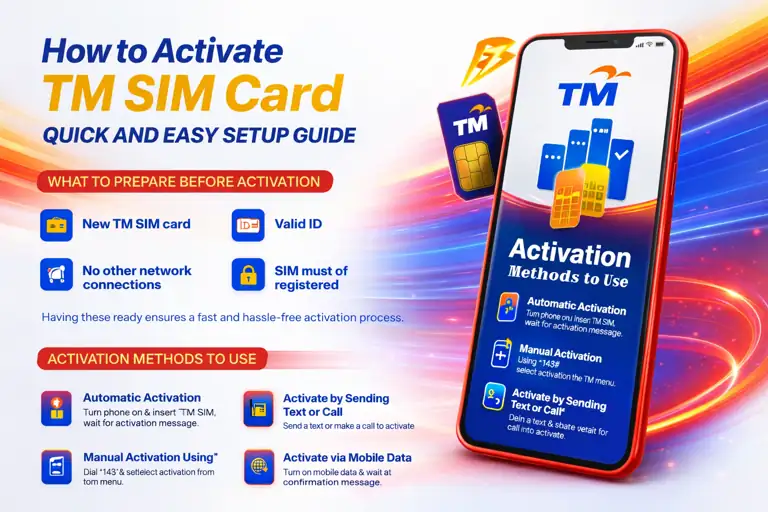
Once you have completed the SIM registration TM/ Globe successfully, there is no need for any separate process to activate the TM SIM. The SIM will be automatically activated for calls, SMS, and internet after registration. The activation can take an hour or a bit longer. Follow the guide below to verify the SIM registration and activation online.
Which TM SIM Registration Method is Best?
Different users choose different registration methods according to their comfort. However, below I have provided a detailed comparison of all the methods that help you to choose a perfect method for you:
| Registration Method | Best For | Internet Needed | Time Required | Support Type | Success Level |
|---|---|---|---|---|---|
| Online Portal | Quick self-registration from home | Yes | 5–10 minutes | Self-guided | High |
| GlobeOne App | Mobile users who prefer app-based steps | Yes | 5–10 minutes | App-assisted | High |
| TM/Globe Store | Users needing personal help or verification | No | 10–20 minutes | Staff-assisted | Very High |
How to verify SIM Registration
After completing the SIM card registration TM, you can check the status and verify whether your SIM is registered or still pending. Here are the available ways to check your SIM registration status:
1: Check via Online Portal
- Visit the official TM SIM website.
- Enter your TM mobile number in the required field.
- Request an OTP (One-Time Password) and wait for the SMS code.
- Type the OTP to verify your number securely.
- Your registration status will appear on the screen that confirms whether your SIM is already registered or still pending.
2: Check Using the GlobeOne App
- Open the GlobeOne app on your smartphone.
- Log in using your registered account details.
- Once logged in, navigate to the home screen.
- Your TM SIM registration status will be displayed automatically with your account information.
3: Check at a Globe Store (In-Person)
- Visit the nearest Globe Store or authorised outlet.
- Request the staff to verify your TM SIM registration status.
- Provide your mobile number and valid ID if asked for verification.
- The representative will check the system and inform you of your registration status.
How To Change Your TM SIM Details?
After a successful registration, you can edit or change your SIM details easily. Here is how to do it:
If you are not comfortable with the online process, you can also visit a Globe store. The staff will assist you and help you to update the information easily.
TM SIM Registration Bonus
Globe Telecom supports the SIM registration ACT. Therefore, it offers several benefits and bonuses on successful registration. Below is the detailed guide about the TM registration bonus:
5G Easy Surf
The 5G Easy Surf Bonus gives you unlimited texts to all networks, along with the 3 GB FunALIW Pack and 2 GB of mobile internet.
To activate the bonus, open your Messages app, type SUBMERG, and send it to 8080. After sending, simply wait for the confirmation message to check if you’re eligible. Once confirmed, the bonus will activate automatically.
The bonus is valid for 30 days from the date of activation, giving you a full month to enjoy unlimited texting and extra data for fun and surfing online.
Other Bonuses
You will get LTE and 5G network access for faster browsing and smoother online experiences. It also provides better security and gives access to exclusive TM promos. These benefits are automatically activated after registration.
Why is SIM Registration Necessary?
Here are some reasons why you must register SIM TM:
Troubleshooting The Registration Errors
Sometimes, users face issues while SIM TM registration. Below are some practical solutions that may help resolve common registration issues:
Request Time Out
It usually happens when you leave the registration page for a long time or have a slow internet connection. Follow the below given steps and overcome this issue easily:
Do not leave the registration page before completing the registration.
Do not refresh the page while the process is in progress.
Make sure that your device has a stable internet connection while registering.
OTP Not Received
It is one of the most common issues. This issue mostly occurs due to providing wrong number. Take these actions before requesting a new OTP:
- Check again and make sure that you have provided the accurate phone number.
- Sometimes the system automatically sends the OTP to Spam. Check the spam folder of your messages.
- The OTP also fails to receive in case of a slow internet connection. Try connecting to a fast internet if the connection is slow.
ID Not Accepted
The ID-related issues occur when you upload expired, unofficial, or unclear ID. You can easily overcome it by taking the following precautions:
- Always upload an official and up-to-date ID.
- Make sure the photo is clear and all the ID details are visible.
- Always upload a photo of 4 MB or less. The photo must be in JPG or PNG format.
Selfie Verification failed
Here is how you can complete the selfie verification:
- Always take a selfie of your complete face.
- Avoid using any filter or effect on the photo.
- Do not wear glasses, hats, or any other such stuff.
Hopefully, your issue will be resolved by the above provided guide. But if you have any other specific issue, contact the helpline or visit the store for assistance.
Helpline Details
The TM customer care is available to assist their users. You can contact the helpline in case of any issue, report your problem,
and seek help. Below are the complete details about TM customer care.