
TM Surf4All99 and EasySurf99 Promos
If you’re searching for an affordable pocket-friendly internet package, the TM Surf4All99 and Easysurf99 promos are among the best choices. These promos offer a wide range of data options with a balance of price, data allocation, and usability, making them perfect for students and daily internet users.
For just ₱99, this promo gives you flexible data with a validity of 7 days to enjoy data for browsing social media and light streaming. In this guide, we will explain everything about TM Surf4All99 and Easysurf99 promos, including features, data allocation, and registration method.
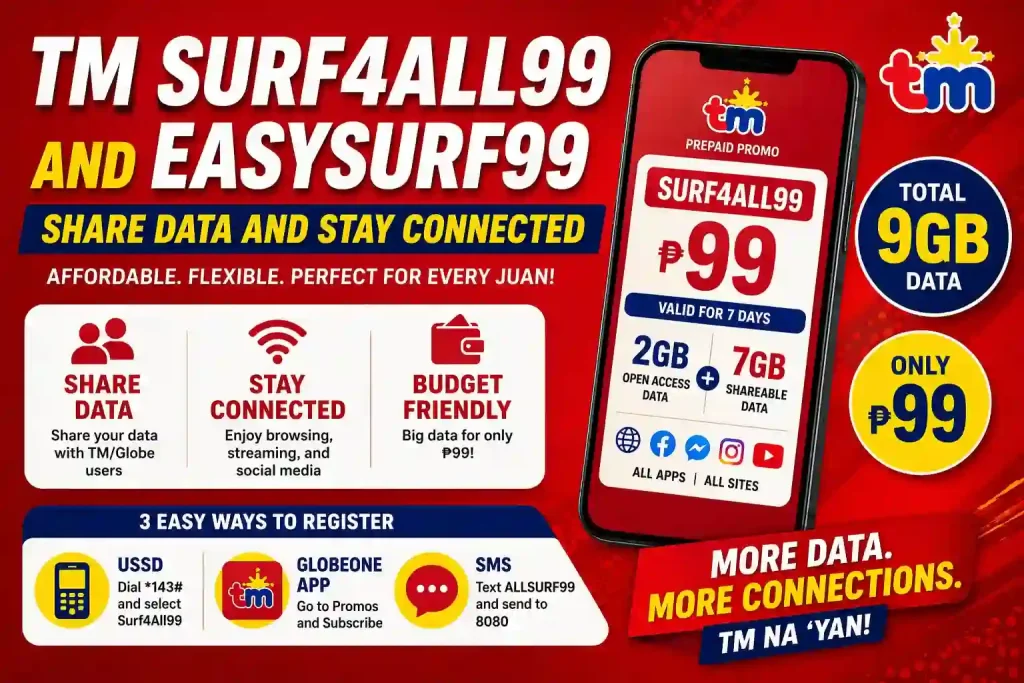
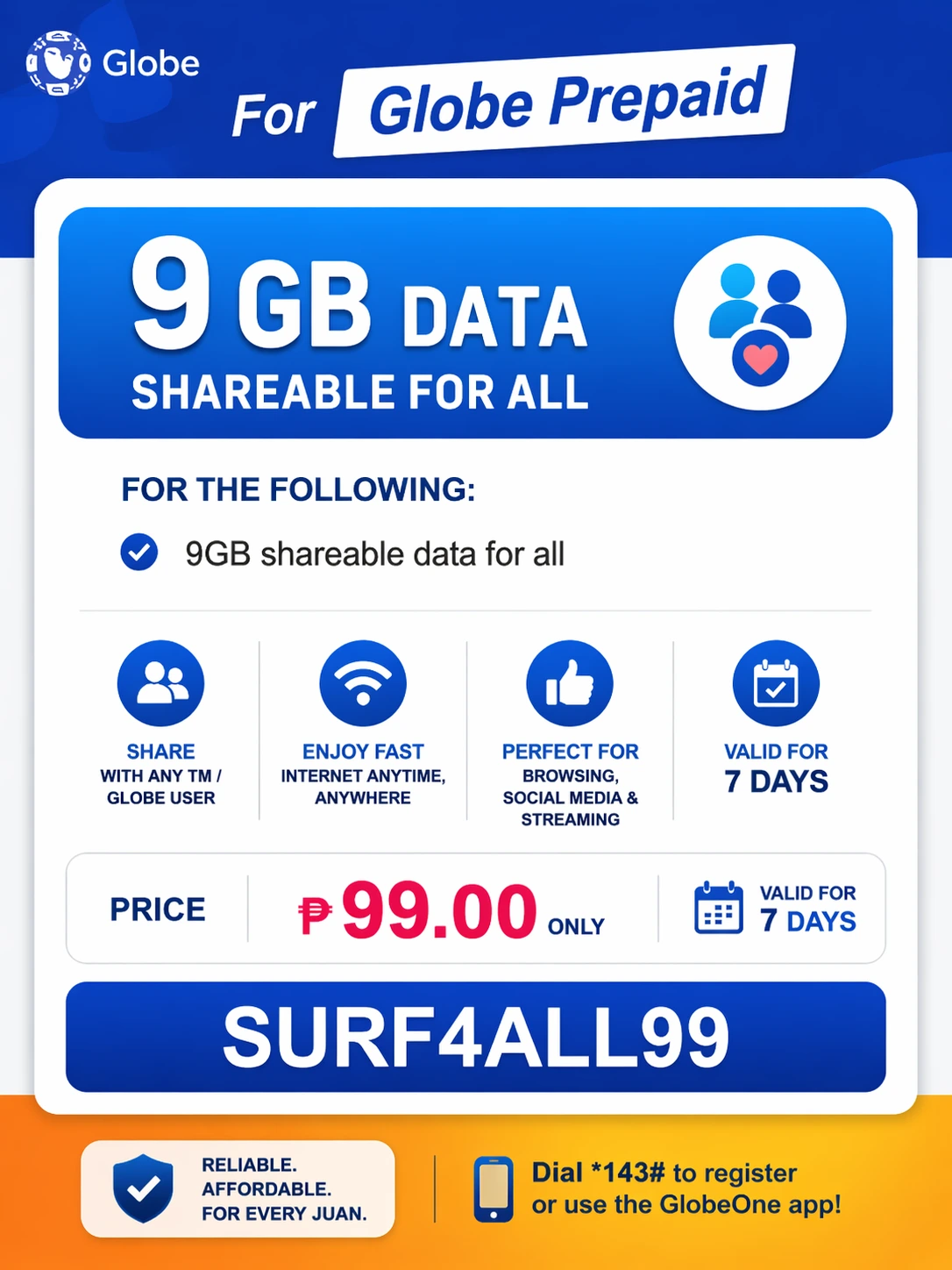
TM Surf4All99 Promo – 9GB Shareable Data for 7 Days at ₱99
All Surf 99 TM
The All surf99 TM is a popular and budget-friendly promo that provides both open-access data and shareable data options. This prepaid promo offer includes a total of 9GB of data for 7 days. It usually includes 2GB of open access data for all websites and apps, along with 7GB of shareable data at only ₱99, which you can send to other TM or Globe users. It is designed for users who want to share their data with their friends or want the flexibility to enjoy streaming, browsing, or social media.
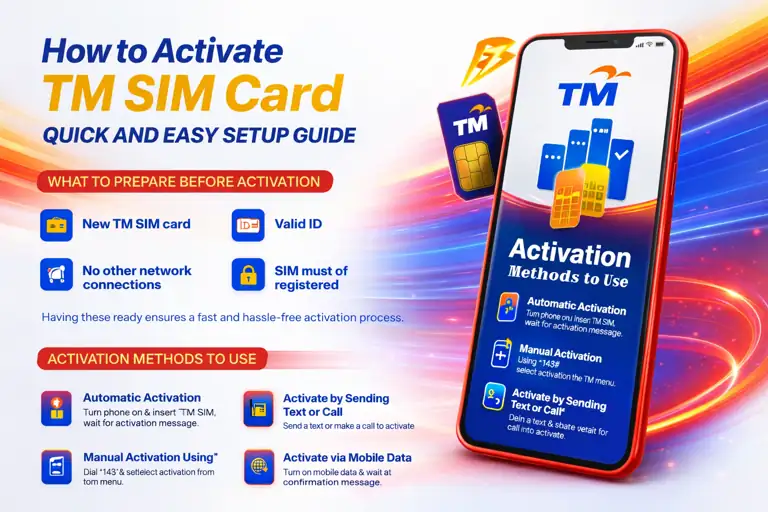
Did you know? Only registered SIM cards can enjoy TM promos, bonuses, and extra services. Complete your TM SIM Registration Online first to unlock all these exclusive offers!
All Surf 99 TM Description
Allsurf99 promo typically offers these features:
Related Articles




USSD CODE
Dial *143# and select Surf4All / All Surf 99
SMS Registration
Keyword type ALLSURF99
Send to 8080
Required Load
₱99 only
Validity
7 days
Total Data
9GB, data 2GB + open 7GB shareable data
Confirmation
Receive confirmation SMS once activated
How to Register for All Surf 99 TM
Registering to TM Allsurf99 or Easysurf99 is easy and simple; you just need to follow these steps for a smooth experience. You can register for this promo using multiple methods. Choose one of them that is convenient for you.
Register via USSD *143#
Open your phone dialer
Access your phone’s dialer application to begin the USSD registration process.
Dial *143#
Enter the USSD code *143# to access the TM menu.
Select surf4All99 or Allsurf99
Navigate through the menu to find and select your desired promo.
Choose the promo
Confirm your selection from the available options.
Confirm your subscription
Follow the prompts to finalize your registration.
Receive confirmation SMS
You will receive a confirmation SMS after successful activation.
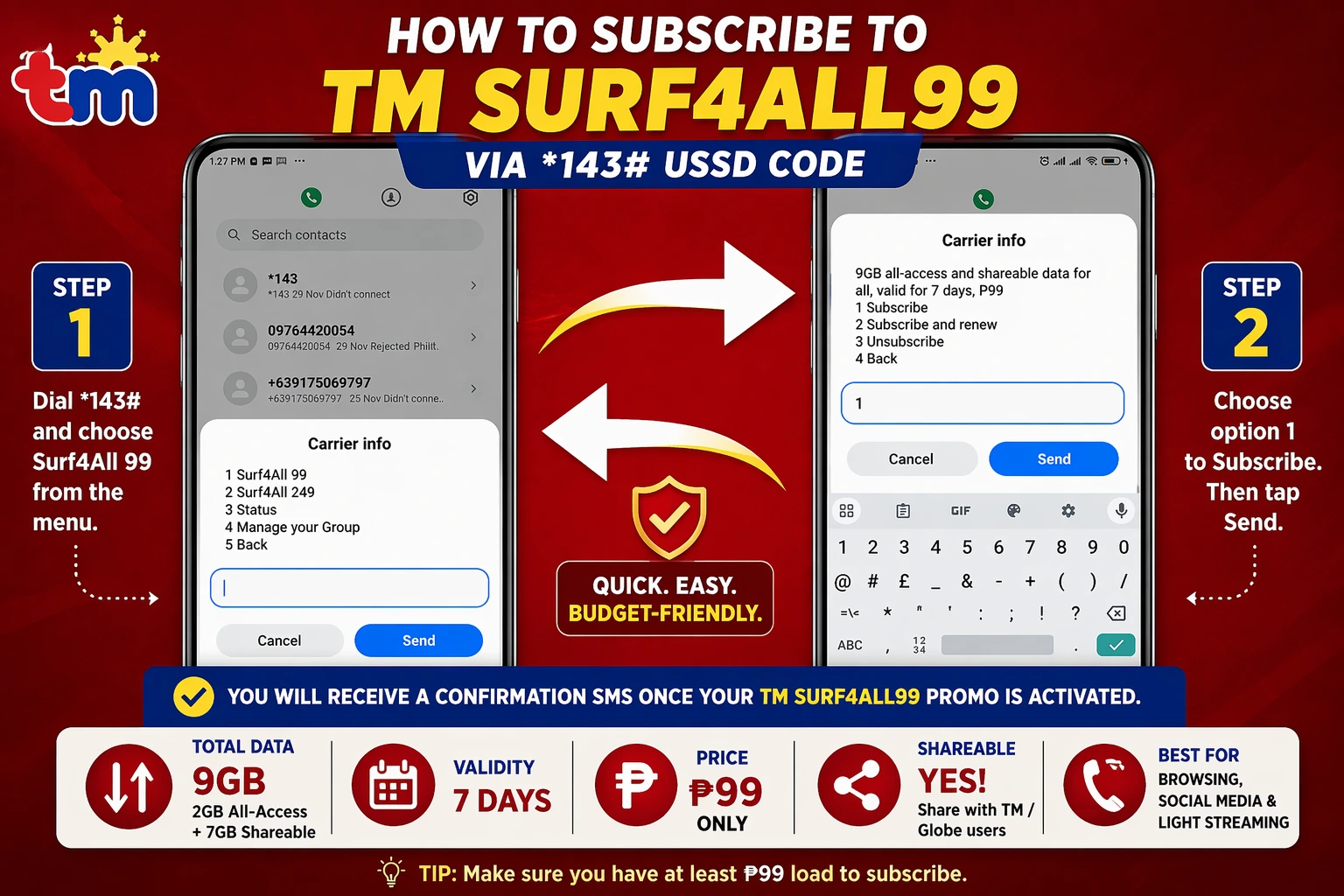
Step-by-step USSD registration process for TM Surf4All99
Register via the GlobeOne app
You can also subscribe using the GlobeOne app:
Download and open the app
Get the GlobeOne app from your app store.
Log in with your TM number
Use your registered TM number to access your account.
Go to the promos section
Navigate to available promotions and offers.
Select All Surf 99 or Surf4All 99
Choose based on whether you want shared data or personal use.
Tap subscribe
Confirm your subscription choice.
This method is quick and requires only a few minutes to activate.
Register via GlobeOne App – Easy promo management
Register via SMS
Another easy way to activate the Allsurf99 promo:
Step 1: Open your messaging app
Step 2: Type promo keyword ALLSURF99
Step 3: Send to 8080
Step 4: Wait for the confirmation message
Quick Troubleshooting and Tips for All Surf 99 ™
Sometimes users face some technical or minor issues related to promo activation while using TM Surf4All99 and EasySurf99 promos. Here are quick fixes you need to understand:
🔧 Troubleshooting Checklist
- Make sure you have at least ₱99 in your load
- Restart your phone after activation; it boosts your system
- If you don’t receive a confirmation SMS, you can check your availability by dialing *143# → Check Promo → Active Promos; it will show your confirmation
- If your data does not work properly or show a weak signal, turn mobile data off and on
- If someone is using enough data, you can manage or remove them from the Globe One app through group data settings.
How to Extend All Surf 99 TM
To continue using your data, you can extend your limit to the Allsurf99 TM promo before it expires. Follow these methods to extend your promo limit:
Check Your Promo Status and Load Balance
TM Surf4All99 keyword
Viewing your remaining data balance
Check promo expiry date
Confirm your available load balance
Re-subscribe to All Surf 99 ™
Dial *143#
Access the TM menu system.
Select surf4all or allsurf99
Find your desired promo category.
Choose allsurf99
Select the specific promo variant.
Send to 8080
Confirm via SMS.
Tap “confirm” or “subscribe”
Finalize your subscription.
Confirmation message
You will receive a confirmation message after activation.
Use TM’s EXTEND Option for bonus data
Some users get an EXTEND or add-on option to maximize their TM Surf4All99 and EasySurf99 promos. To apply this, you can extend your promo with bonus data (extra MBs or GBs). Follow these steps to claim your EXTEND:
Keyword TM EXTEND
Go to the active or add-ons option
Select EXTEND or booster option if available
This option is very useful, but it depends on availability.
Surf4All99 TM vs. EasySurf99 ™
Understanding the difference between TM Surf4All99 and Easysurf99 promos helps you to choose wisely:
| Feature | Surf4All99 TM | EasySurf99 TM |
|---|---|---|
| Price | ₱99 | ₱99 |
| Total Data | 9GB | 7GB–8GB approx |
| Data Type | Open + Shareable | Open + App Data |
| Best For | Sharing & flexibility | Social media use |
| Apps Included | All apps | Facebook, Messenger, Instagram |
Key Takeaway: Surf4all99 TM is best for sharing data. Easysurf99 TM is best for social media users.
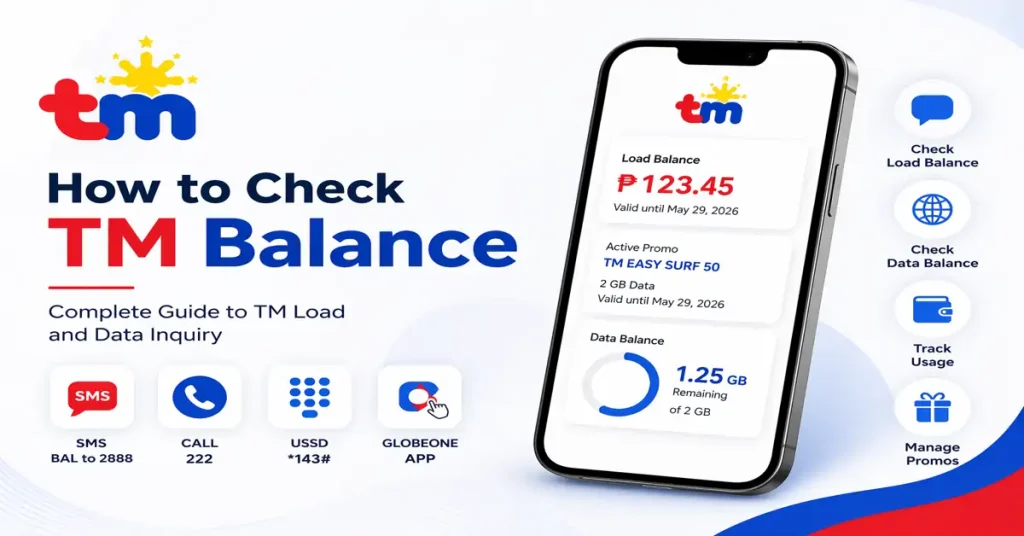
How to Check All Surf 99 TM Balance and Remaining Data
Checking your balance following these steps can be very useful and easy. To track your usage in TM surf4All99 and easysurf99 promos use these methods:
Via USSD code
Dial *143# → Select Check Balance to see your remaining data
Via the GlobeOne app
Open the app, log in with your number and your remaining GBs, MBs, expiry date, and your load will appear on the dashboard
Via SMS
After using data, you will automatically receive an SMS message alert showing your remaining MBs or GBs and promo validity
Ready to Get Started?
Text ALLSURF99 to 8080 Now!
Or download the GlobeOne app to manage your data.
Conclusion
The TM Surf4All99 and Easysurf99 promos are ideal and excellent for users who want low-cost internet for just ₱99. Users get multiple GBs of data, flexible usage, and easy registration options. If you want shareable data and flexibility or want to share your data with family or friends, go for SurfAll99. If you want to enjoy your personal data like social media apps and streaming, go for EasySurf99; it’s a better option overall. Both promos are popular and budget-friendly for users who enjoy social media browsing the internet without spending too much.
Frequently Asked Questions
Surf4All99 offers 9GB total data (2GB open access + 7GB shareable) best for sharing with family and friends. EasySurf99 offers 7-8GB with app-specific data best for social media users who primarily use Facebook, Messenger, and Instagram.
You can register via: 1) USSD: Dial *143# and select Surf4All99, 2) SMS: Text ALLSURF99 to 8080, or 3) GlobeOne App: Download the app, login, and subscribe from the promos section.
The TM Surf4All99 and EasySurf99 promos are valid for 7 days from the time of activation. You need to re-subscribe after expiry to continue using the service.
Yes! Surf4All99 includes 7GB of shareable data that you can send to other TM or Globe users. You can manage sharing through the GlobeOne app or by dialing *143#.
You can check balance by: 1) Dialing *143# → Check Balance, 2) Opening GlobeOne app dashboard, or 3) Waiting for automatic SMS alerts after data usage showing remaining MBs/GBs.
Yes, SIM registration is required by law in the Philippines. Only registered SIM cards can enjoy TM promos, bonuses, and extra services. Complete your TM SIM registration online first.