
How to Check TM Balance: Complete Guide to TM Load and Data Inquiry
2026 Updated Methods | SMS, USSD, Call & GlobeOne App
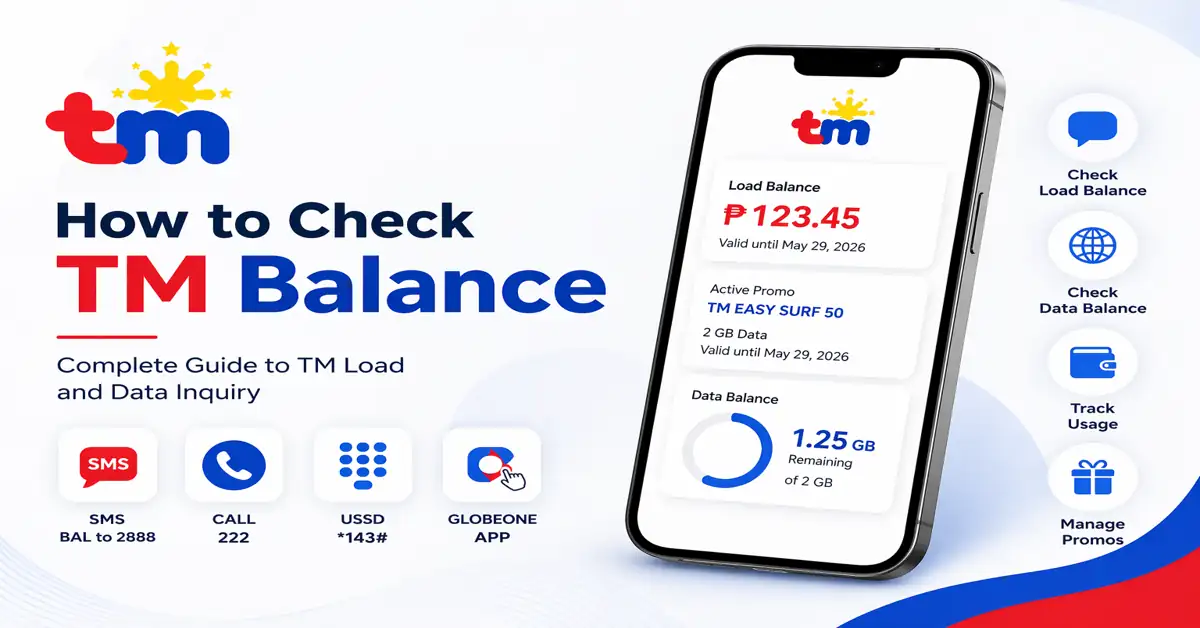
If you are a TM prepaid user, it is very important to know how to check your TM balance because TM introduces multiple types of promos for its users, so it is essential to check your load, data usage, and calls effectively to avoid sudden data loss. Many users often run out of data because they don’t know the validity of their promo. You can track or check your balance by text SMS, USSD code, or the GlobeOne app. TM balance inquiry can help you to stay updated and avoid unexpected interruptions.
In this complete guide, we will explain how to check the TM balance, including different methods and the mobile app. We will also cover how to check your data balance and the difference between load and data balance.
Check TM Balance via SMS
One of the easiest ways to perform a TM balance inquiry is through SMS. This method is simple and convenient and doesn’t require the internet. Also, this works on all mobile phones.
- Open your phone’s messaging app
- Create a new message
- Type BAL in the message app
- Send it to 2888
- Wait for a reply
How to Check TM Balance through a Call
You can also check your remaining balance by calling. This method is quick and useful, and it doesn’t require an internet connection. This method is suitable for users who prefer voice instructions.
- Open your mobile phone dialer
- Dial 222 and press the call button
- Listen or follow the automated voice instructions
- Your remaining balance and validity period will be announced
TM Balance Inquiry via USSD Code
The USSD method is secure and popular; it also doesn’t charge any fee. This is the fastest way to check your TM balance. This method is work wihtout internet.
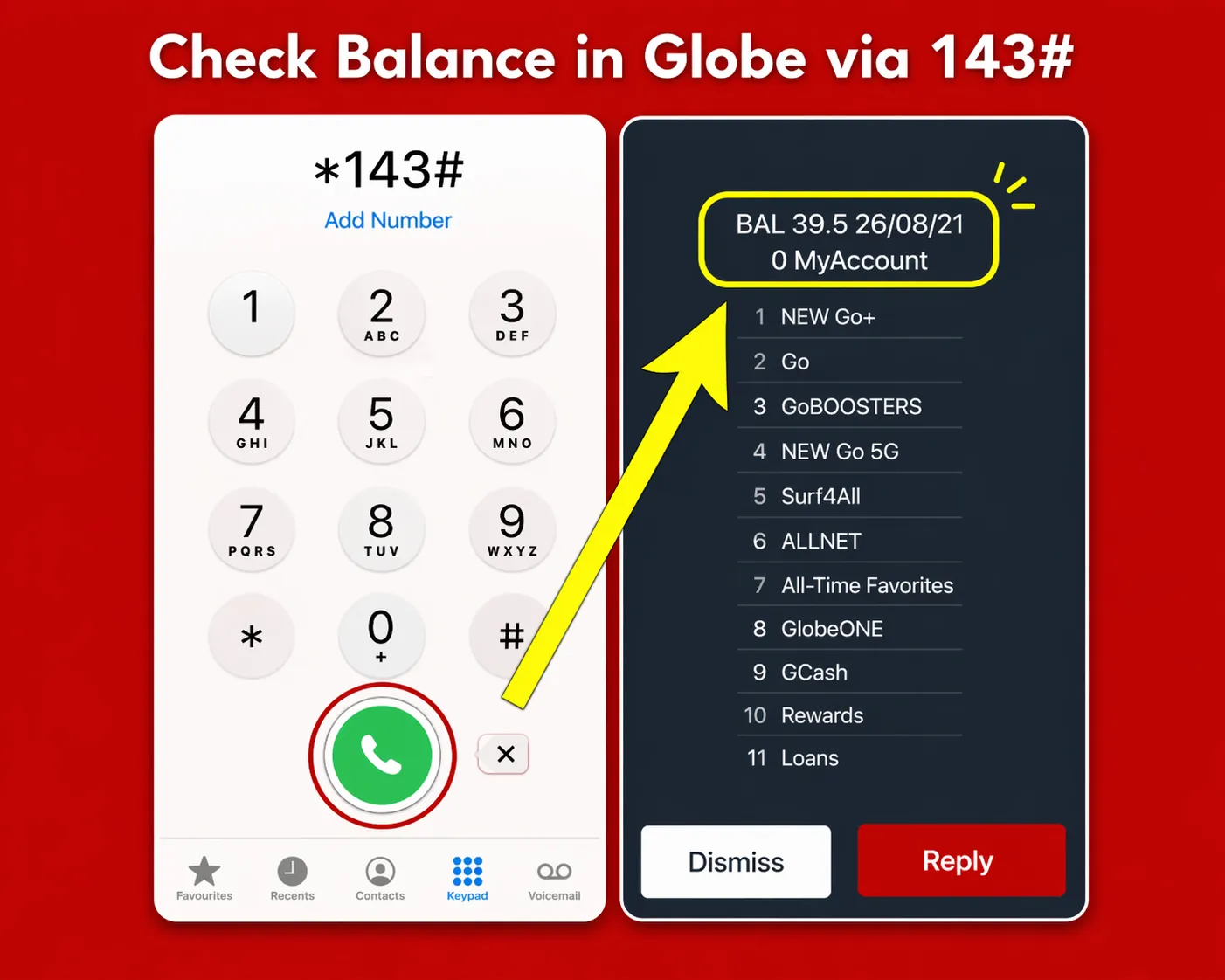
TM Balance Inquiry using *143# USSD Menu
- Open your mobile phone dialer
- Dial *143# on your keypad
- Select my account
- Dashboard appear in your screen
- Tap on balance inquiry
- View your balance on the screen
Check TM Load Balance Using the GlobeOne App
This method is convenient for users who want a quick balance check with a modern interface. The GlobeOne app not only shows your load balance but also provides details about your data usage, promos, and rewards.
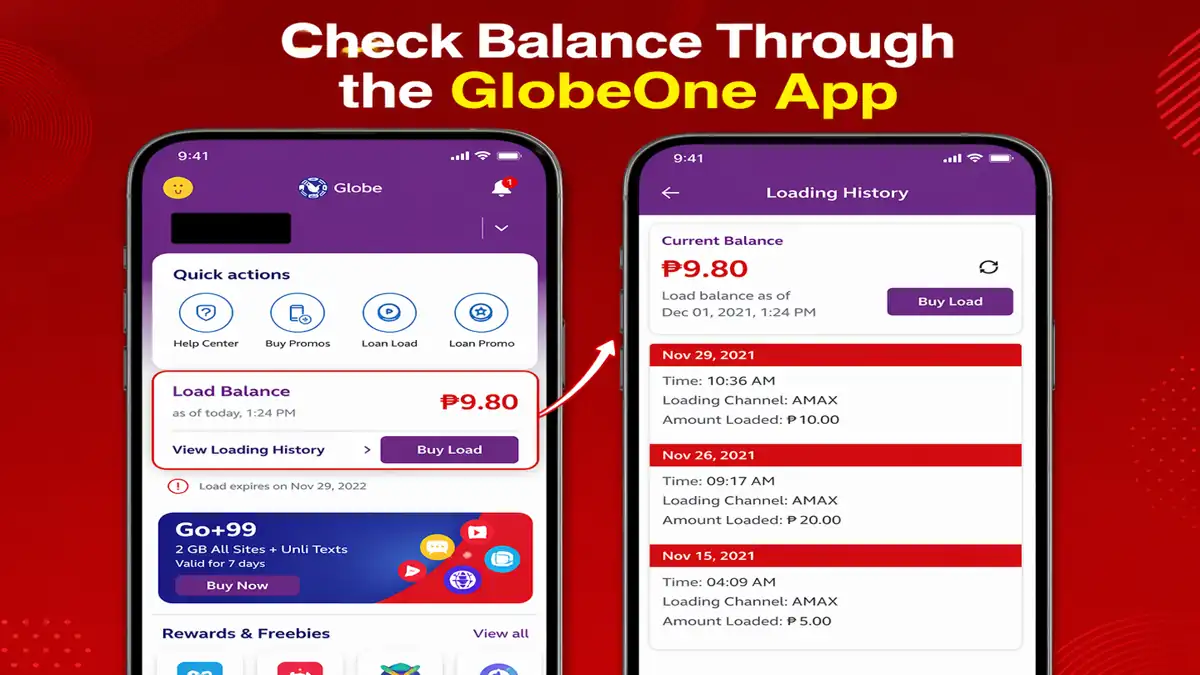
GlobeOne App Dashboard showing TM Load Balance
To check your TM balance using the app:
- Download and install the GlobeOne app
- Sign up or log in using your TM valid number
- Once logged in, your remaining load balance will be displayed on the home screen.
- You can also check your active promos
How to Check TM Data Balance
Checking your data balance is just as important as checking your load balance. Many TM users subscribe to internet promos, so tracking data usage helps avoid unexpected charges or delays in your recharge.
- Dial *143# and select my account and data balance
- Use the Globe One app to see your remaining data
- Receive data updates via SMS automatically after promo registration
You will be able to see how much data you have used and how much is remaining, knowing how to check your data and ensure that you can manage your internet usage effectively.
Difference Between TM Balance and Data Balance
Many users confuse TM load balance with data balance, but both serve different purposes. Understanding this difference helps you to manage better usage and avoid unnecessary charges.
| Feature | TM Load Balance | TM Data Balance |
|---|---|---|
| Definition | The amount of money available in your TM SIM | The amount of internet data available in your active promo |
| Usage | Used for calls, SMS, and subscribing to promos | Used for browsing, streaming, and using apps |
| Deduction | Deducted when making calls, sending texts, or activating offers | Deducted when using mobile internet or online apps |
| Validity | It depends on load expiry or promo validity | It depends on the data promo duration |
| Check Method | Can be checked via SMS, call, USSD code, or app | Can be checked via USSD code or mobile app |
| Importance | Helps manage call and SMS usage | Helps control internet data consumption |
Related TM Promos & Guides
Conclusion
Understanding how to check your TM balance is very important to every TM prepaid user who subscribes to promos. Tracking your balance is easy and simple; you can check your balance using multiple methods, such as USSD code, SMS, or the Globe One app. Track your balance using one of the methods that is convenient for you. By following this guide, you can easily perform a TM balance inquiry anytime. This will help you to prevent a sudden data shortage. Staying updated about your balance will help you to manage your mobile usage more efficiently and enjoy uninterrupted services.